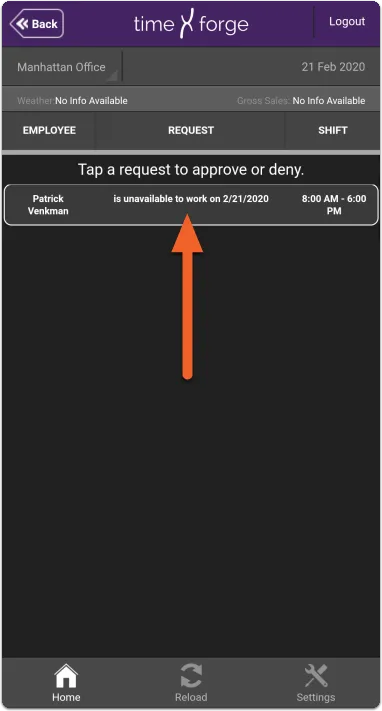
Review pending requests and availability
The TimeForge Manager mobile app allows managers to view employees’ pending availability and requests for time off.
At this time, requests must be approved or denied on the TimeForge website, but the ability to manage requests through the mobile app is a feature we hope to provide in the future.
Tap the TODAY tile, then tap Pending Requests
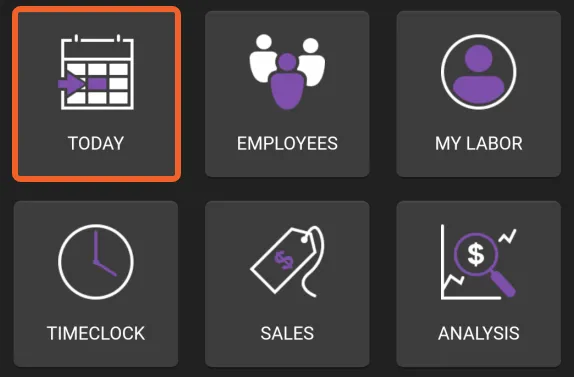
Section titled “Tap the TODAY tile, then tap Pending Requests”Pending requests are accessible from the Today page in the app. From the home screen, tap TODAY.
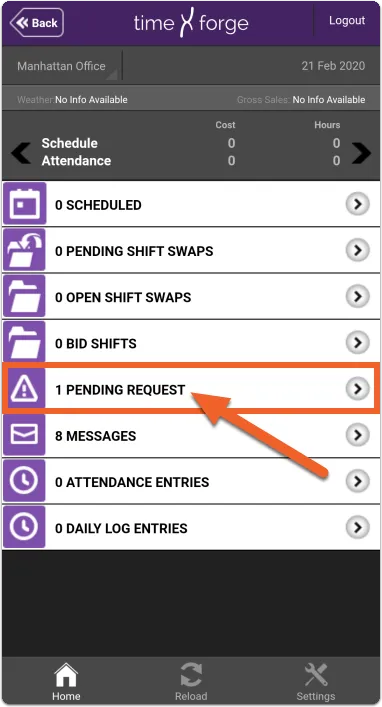
Then, tap Pending Requests.
Pending Requests
Section titled “Pending Requests”Pending requests will be shown, including the name of the employee, what time of request (e.g. available to work, wants to work, does not want to work, unavailable to work), and the date and times the request applies to.