

Allow employees to view their timecards
First of all, Yes! Timeforge gives employees the ability to view their own timecards so that the can keep track of their hours each week. This can save the employees time and effort when keeping accurate records of their own hours worked. It can also save managers from having to keep track of attendance in the off-chance that employees think there’s a discrepancy on their check. No need to worry, only managers and some supervisors can make changes to attendance records.
Go to the “Attendance Options” page under the Attendance tab
Section titled “Go to the “Attendance Options” page under the Attendance tab”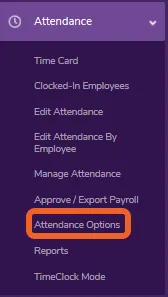
Scroll down to employee timecard option
Section titled “Scroll down to employee timecard option”This option is located near the bottom of the screen.
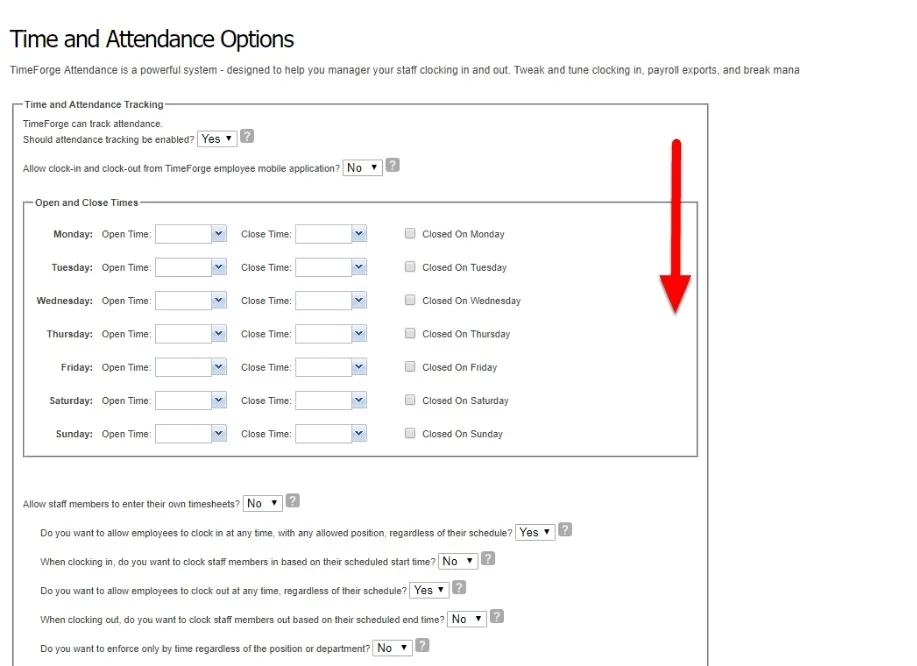
Select Yes to allow employees to retrieve their own timecards
Section titled “Select Yes to allow employees to retrieve their own timecards”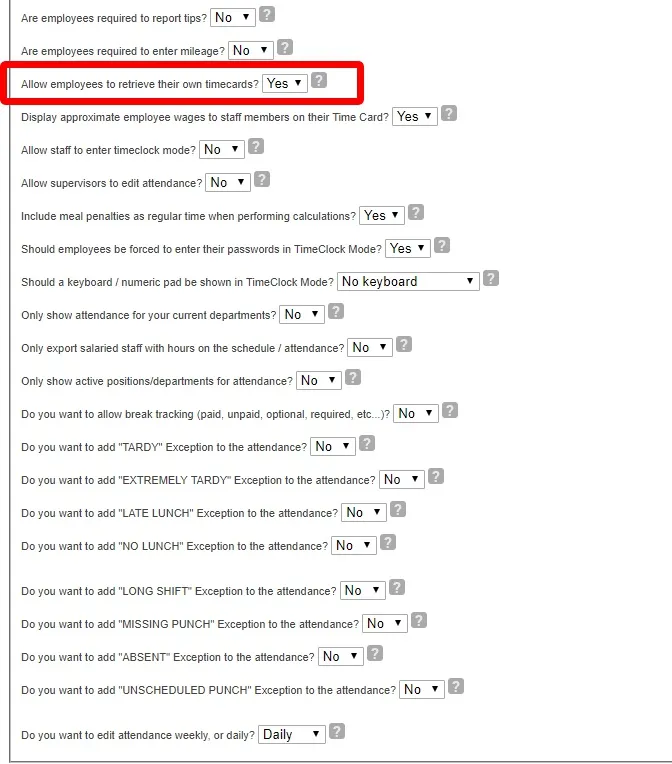
Click the “Save Company Settings” button
Section titled “Click the “Save Company Settings” button”Don’t forget to click the “Save Company Settings” button at the bottom of the page when you are finished.
