

Reset your password from your profile page
You can reset your password anytime from your Profile page in TimeForge. This guide will show you how.
Navigate to your personal profile
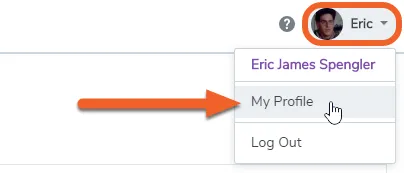
Section titled “Navigate to your personal profile”While logged in, click on your name in the upper right corner of the screen, then select My Profile.
Click the “Change my password” link
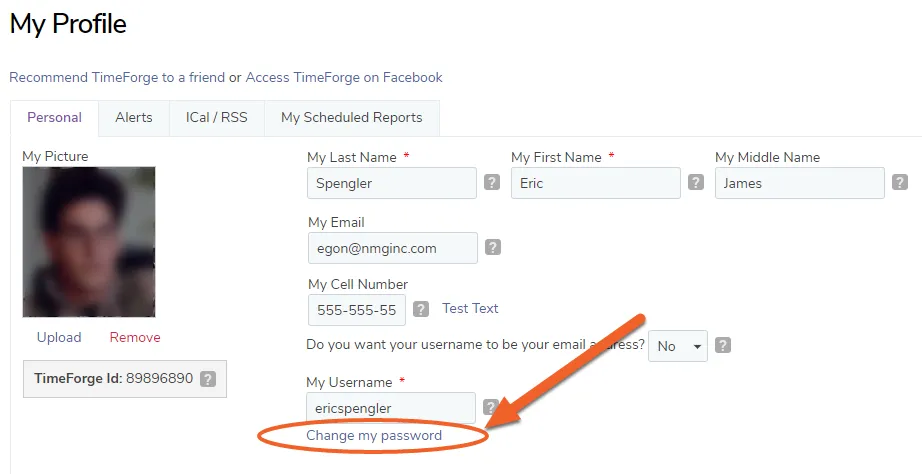
Section titled “Click the “Change my password” link”You’ll find the link near the middle of your profile.
Enter your new password twice
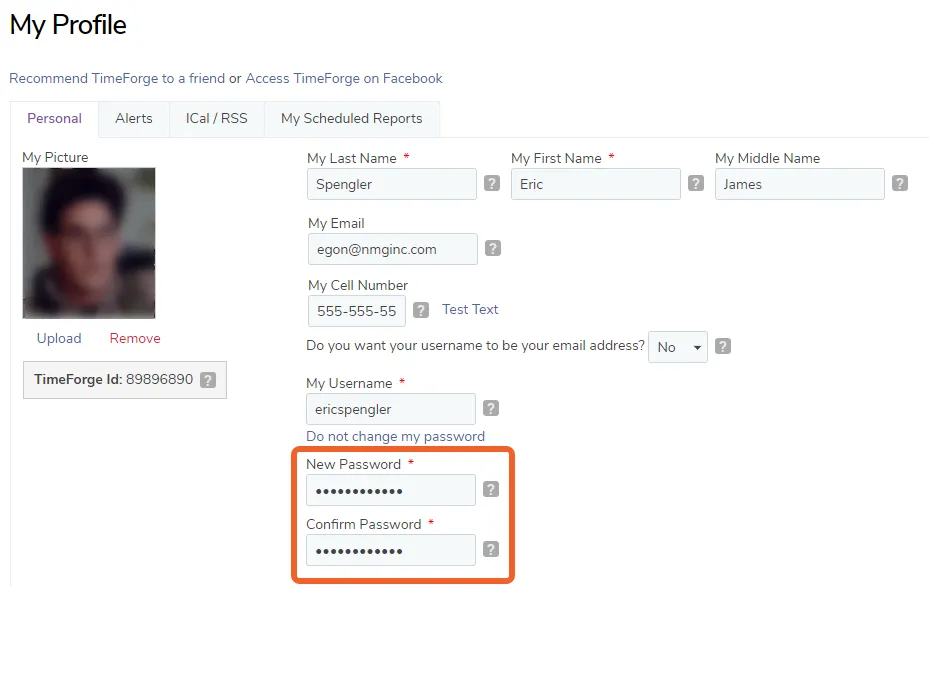
Section titled “Enter your new password twice”In the text fields that appear, enter and confirm your new password.
Click the save button to save your new password
Section titled “Click the save button to save your new password”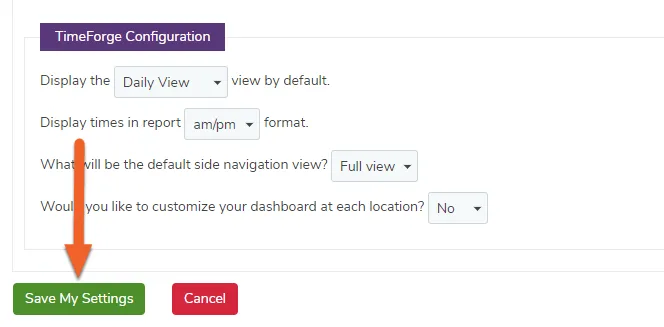
The system will inform you if your settings are saved successfully.