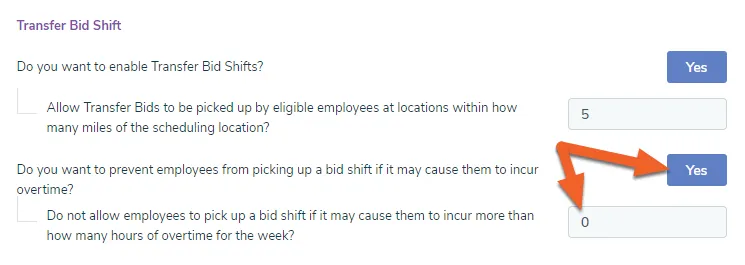
Enable Transfer Bid Shifts (bid shifts that can be shared across locations)
The Transfer Bid Shifts feature adds new functionality that allows managers to open up bid shifts to employees from other locations, as well as restrict employees from being able to bid on shifts that exceed a configurable limit of overtime.
For a primer on bid shifts, check out Maximize Scheduling Efficiency Using Bid Shifts. Instructions for utilizing Transfer Bid Shifts can be found in our Manager Guide: Scheduling and Approving Transfer Bid Shifts.
Enable “Transfer Bid Shifts”
Section titled “Enable “Transfer Bid Shifts””Locate the option under Company Settings and set to Yes
Section titled “Locate the option under Company Settings and set to Yes”At the Corporate level, open the Set Up tab and click Company Settings.
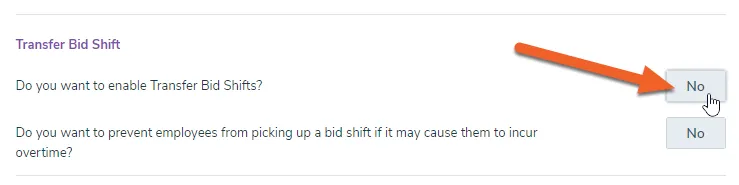
Locate the Transfer Bid Shift section and toggle the button to Yes to enable transfer bid shifts:
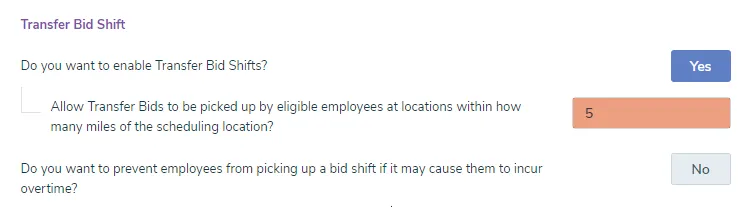
This will open up an additional option to set the mile radius for other allowable locations:
Enable and set an overtime threshold (optional)
Section titled “Enable and set an overtime threshold (optional)”If desired, enable the prevention of picking up overtime shifts and set the overtime threshold: