Add an employee to multiple locations
In TimeForge, any employee can work at as many locations as you need them to. This gives you the power and flexibility of having the same employee able to clock in at any of your multiple locations, which is useful when you need to be able to divide your labor (and labor costs) across locations. It is also useful when you have employees that are frequently interchanged between different locations in a store.
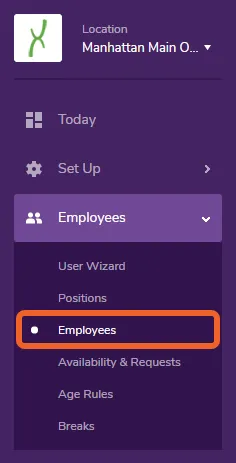
Navigate to the Employees page under the Employees tab
Section titled “Navigate to the Employees page under the Employees tab”Open the Employees tab and select Employees from the menu.
Edit employee information
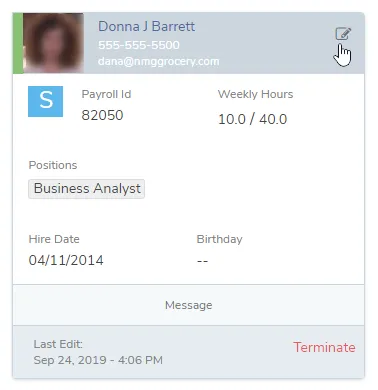
Section titled “Edit employee information”Locate the employee whose information you would like to modify, then edit to bring up their profile.
Select the Locations tab on their profile
Section titled “Select the Locations tab on their profile”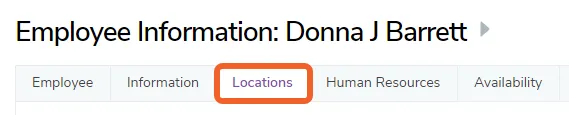
Edit multiple locations
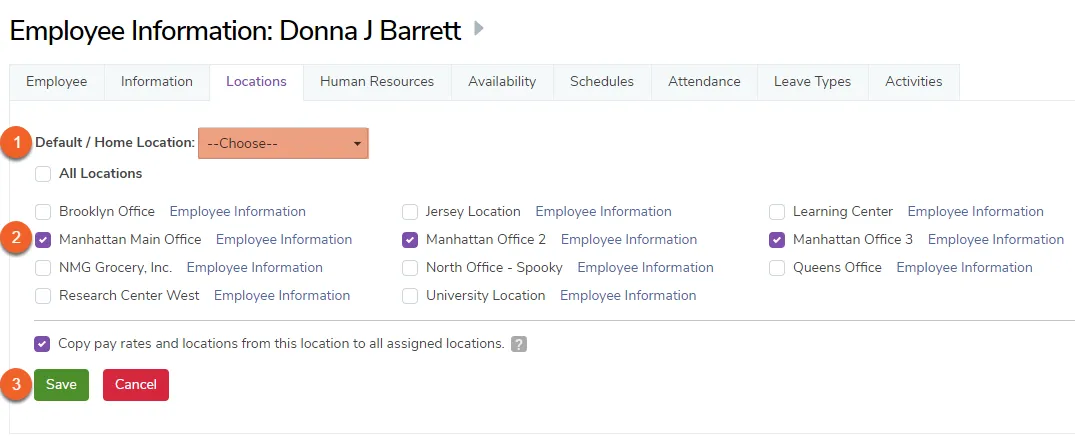
Section titled “Edit multiple locations”- To set a home or default location use the dropdown at the top of this tab.
- Check the boxes next to the appropriate locations for the employee.
- Click the Save button.
Clock in to the specific location
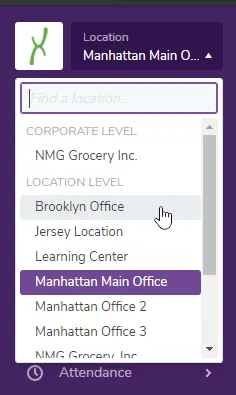
Section titled “Clock in to the specific location”To clock into a specific location, the employee should first use the Location selector in the upper left of the navigation menu:
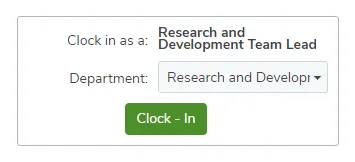
Then, with the appropriate location selected, they should use the Clock - In box on their Today page: