

Set up a secret question and answer
A secret question and answer allows you to reset your password anytime, which is super handy if you ever lose or forget it. To set up your secret question and answer, head on over to your Profile page in TimeForge.
Navigate to your personal profile
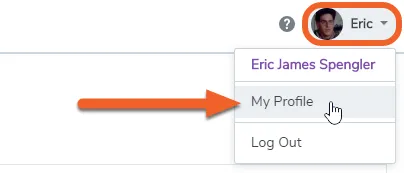
Section titled “Navigate to your personal profile”While logged in, click on your name in the upper right corner of the screen, then select My Profile.
Under Password Recovery, select a secret question
Section titled “Under Password Recovery, select a secret question”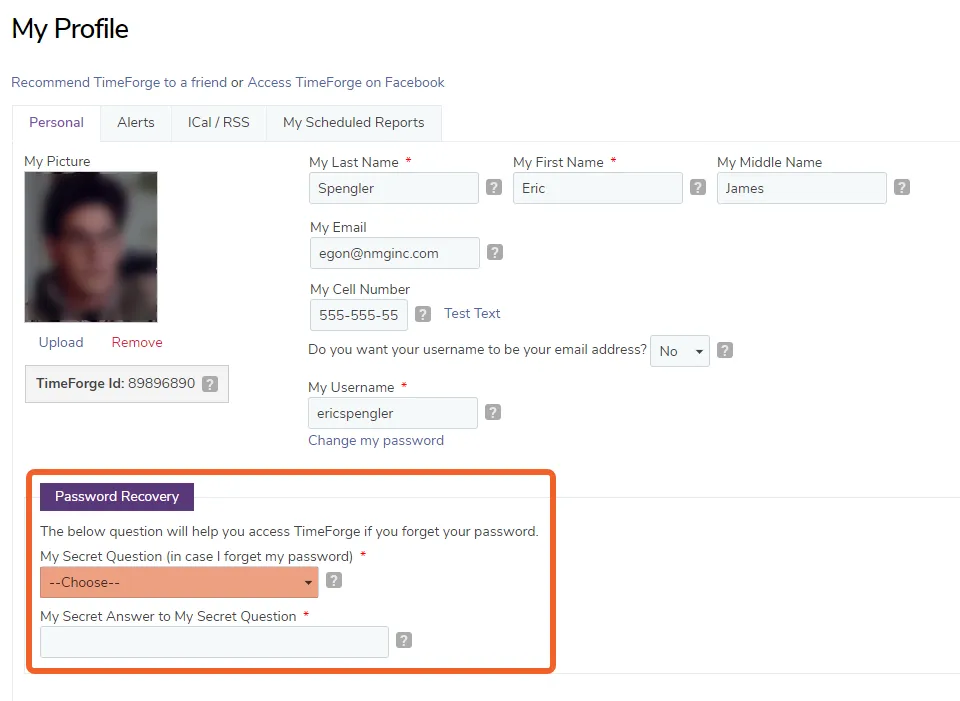
Enter your secret answer
Section titled “Enter your secret answer”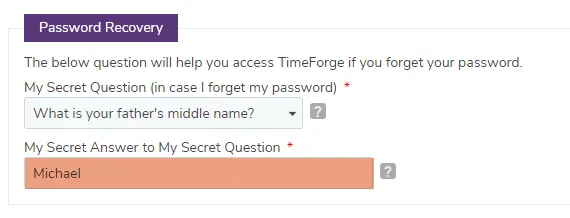
Click the save button to save your new secret question and answer
Section titled “Click the save button to save your new secret question and answer”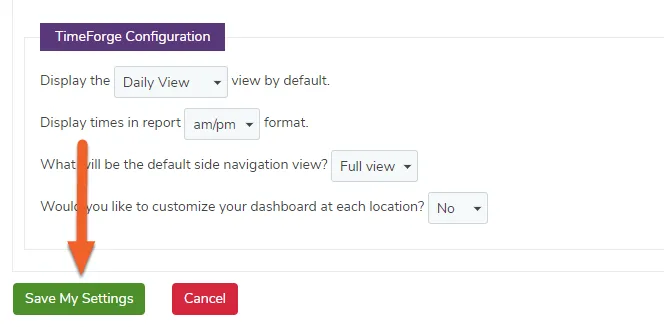
The system will inform you if your settings are saved successfully.