

Review pending bid shifts
The TimeForge Manager mobile app allows you to view pending bids on any shifts you designate as Bid Shifts in TimeForge.
Bid shifts are those that can be bid on by qualified employees, allowing them some control and flexibility over their schedules. With Transfer Bids enabled, employees can even bid on and pick up shifts at nearby locations.
Bid shifts must be approved or denied on the TimeForge website, and employees can choose to be notified about the approval or denial of the shift.
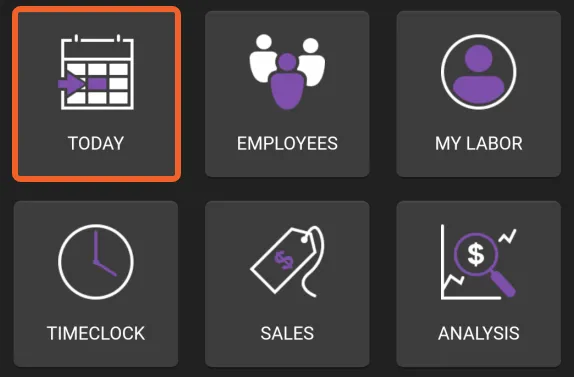
Tap the TODAY tile, then tap Bid Shifts
Section titled “Tap the TODAY tile, then tap Bid Shifts”Pending Bid Shifts are accessible from the Today page in the app. From the home screen, tap TODAY.
Then, tap Bid Shifts.
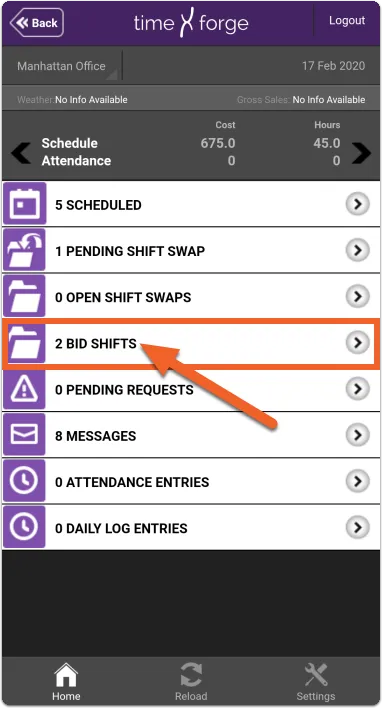
Pending Bid Shifts
Section titled “Pending Bid Shifts”When employees bid on an available Bid Shift, you will see their bids in this list.
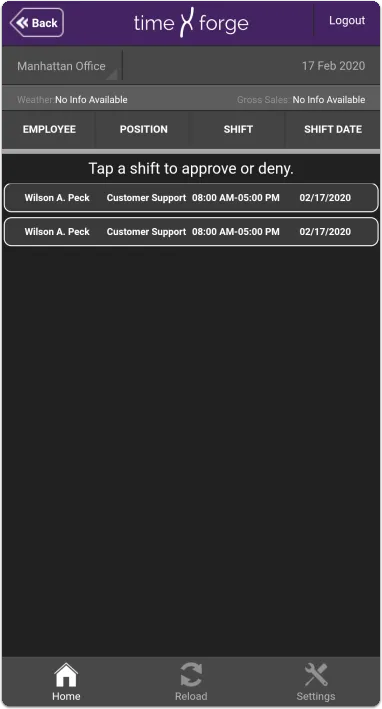
Tapping a shift will redirect you to the TimeForge website, where you can approve or deny a bid.
