

Create Applicant Tracking Steps (ATS)
TimeForge comes fully equipped with a customizable applicant tracking system, called Applicant Tracking Steps (ATS), that allows you to track your job applicants from resume to hire.
Applicant Tracking Steps are just that: steps, inside TimeForge, that enable you to easily track your job applicants throughout the entire review and hiring process. These steps can also be used to outline the process itself, ensuring that applicants applying for the same position all go through the same process and complete the same steps.
This guide will show you how to create your own applicant tracking steps in TimeForge.
Navigate to the Positions page
Section titled “Navigate to the Positions page”Applicant Tracking Steps are tied to positions in TimeForge. Each position can have its own steps.
For example, you might want to request a writing sample from your Marketing Coordinator applicants or your Technical Writer applicants but not from your Field Technician applicants.
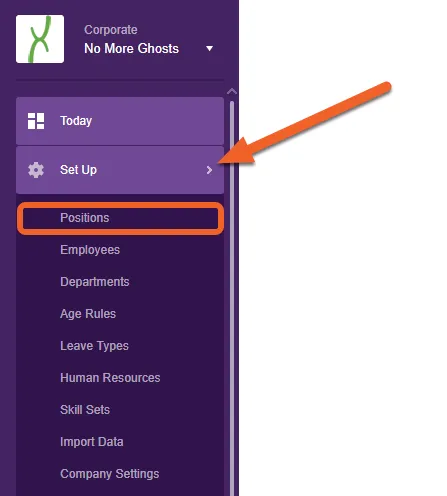
For this example, we’ll create steps at the Corporate level. Open the Set Up tab, then select Positions from the sub-menu.
Select a position from your list
Section titled “Select a position from your list”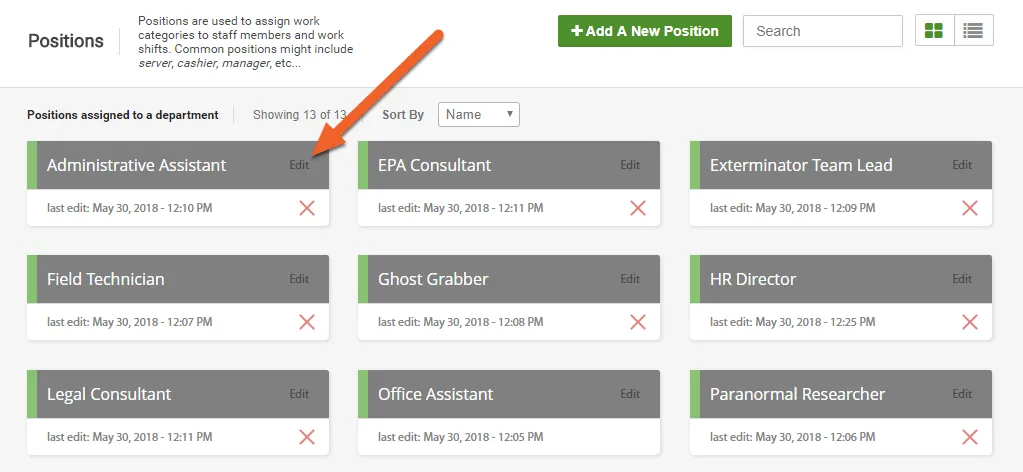
Open the Applicant Tracking Steps tab
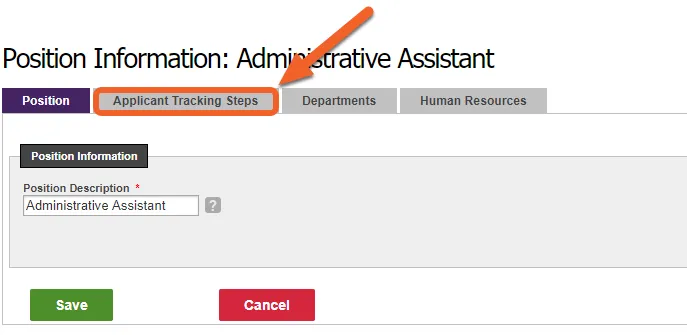
Section titled “Open the Applicant Tracking Steps tab”With a position selected, open up the Applicant Tracking Steps tab.
Create your first step!
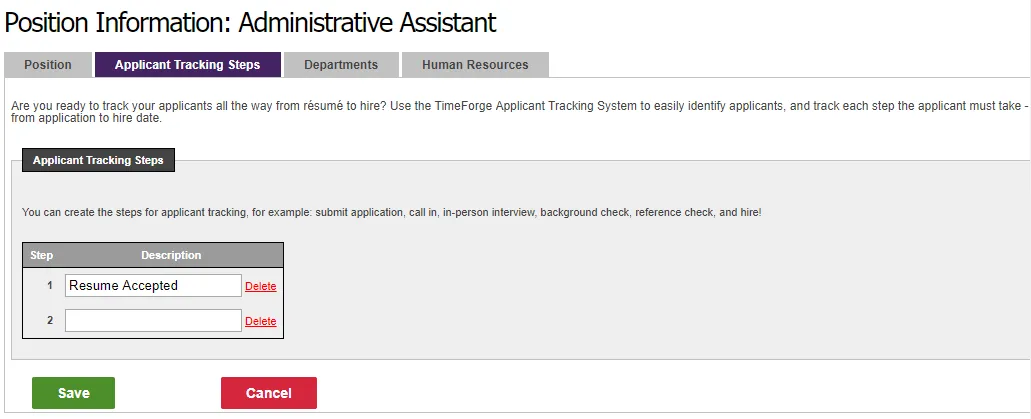
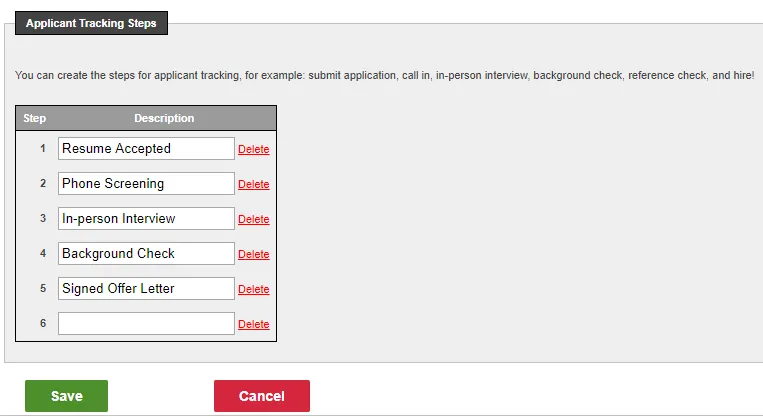
Section titled “Create your first step!”And now, the fun part! Here, you define your applicant tracking steps, starting with Step 1. Typically, your first step might be something like Receive Resume, Acceptable Resume Received, or Resume Accepted.
Continue adding steps
Section titled “Continue adding steps”When you enter a step, a new line will automatically appear, allowing you to add another. Keep adding steps – as many as you need for this position!
Click Save to save your changes
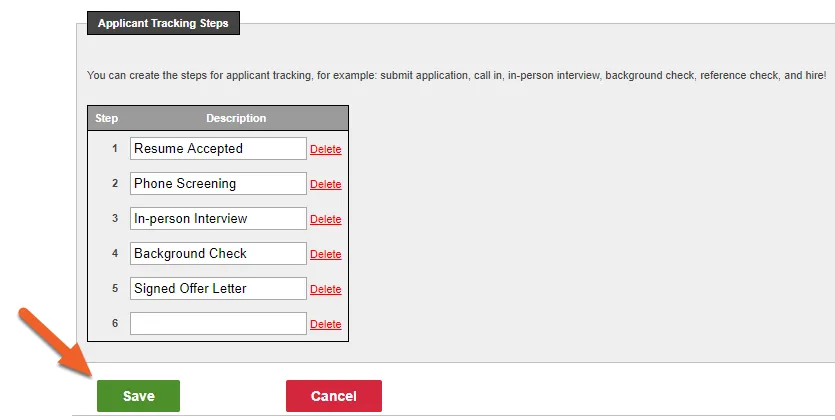
Section titled “Click Save to save your changes”Hit the Save button at the bottom of the list to save your steps.
You’re now ready to use your steps!
Section titled “You’re now ready to use your steps!”With applicant tracking steps in place, you’re now ready to track your applicants in TimeForge.