Rank employees and restrict shifts by skill level
Skill levels in TimeForge allow managers and supervisors to rank employees based on their experience at each position. The higher the skill level, the more experienced the staff member. You can even use the skill level to help create an employee schedule.
Employees who work more than one position or job can have multiple skill levels. For example, an employee may be an excellent cashier (with a skill level of 5), but may be a manager in training (with a skill level of 2).
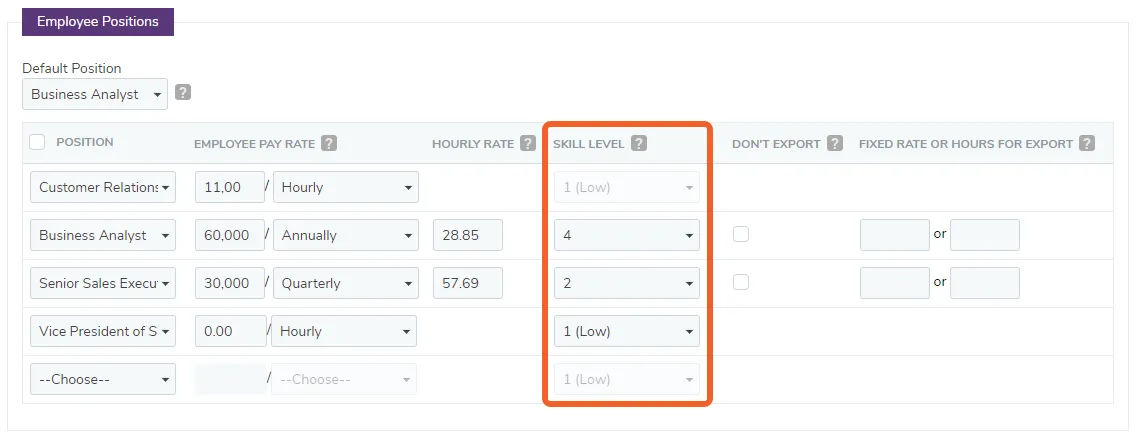
Employees can be ranked by skill levels for each position
Section titled “Employees can be ranked by skill levels for each position”Skill levels can be used to rank employees for each position that the staff employee can work.
Shifts can require certain skill levels
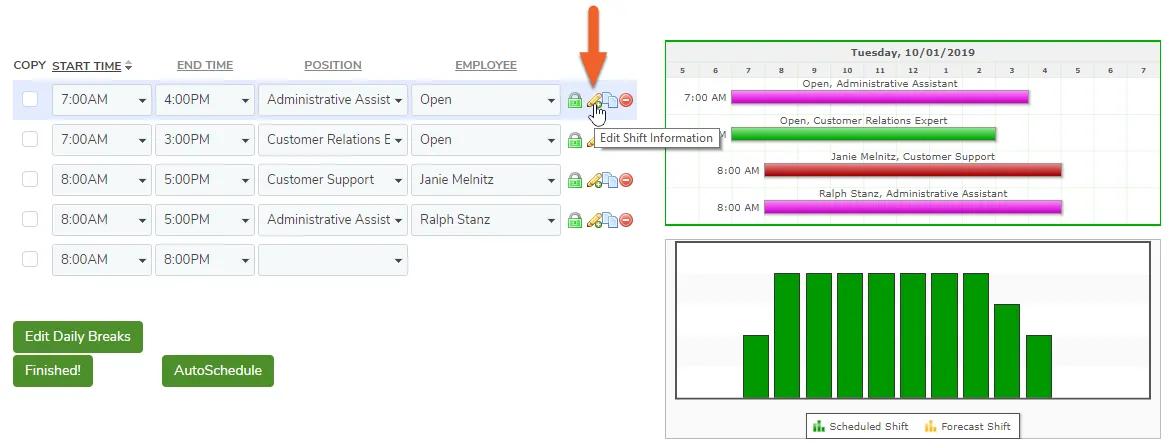
Section titled “Shifts can require certain skill levels”Each shift may require employees of different skill levels, which can be set at the template or schedule level.
To designate a skill level requirement for a shift, click the pencil icon next to the shift you are creating.
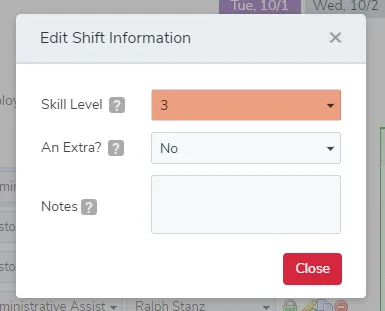
A pop-up will appear, allowing you to edit some information associated with the shift, including required Skill Level.