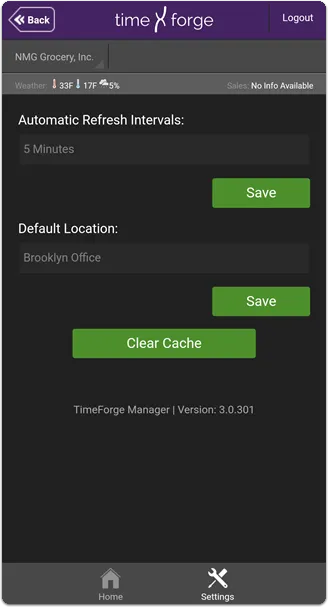
Adjust the Manager app settings
There are currently two settings available that control overall functionality within the app (separate from TimeClock Settings):
- Automatic refresh intervals (how long, in minutes, the app will wait before refreshing or updating data from TimeForge).
- Default location used throughout the app.
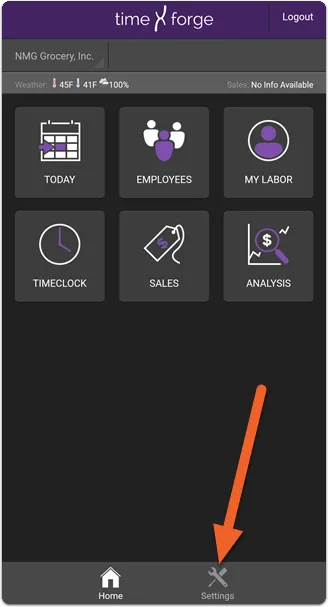
From the home screen, tap the Settings icon at the bottom of the app
Section titled “From the home screen, tap the Settings icon at the bottom of the app”The Settings icon is also available in several other areas, but when starting the app, it’s easiest to find it right here on the home screen:
You’ll be shown the available settings, and the Settings icon will now be highlighted and the Home icon will be dimmed. To get back to the home screen, just tap Home!