

View and edit requests for time off
You can easily view and edit your time off requests from within the Employee Mobile App. Here’s how.
Select My Requests from the menu
Section titled “Select My Requests from the menu”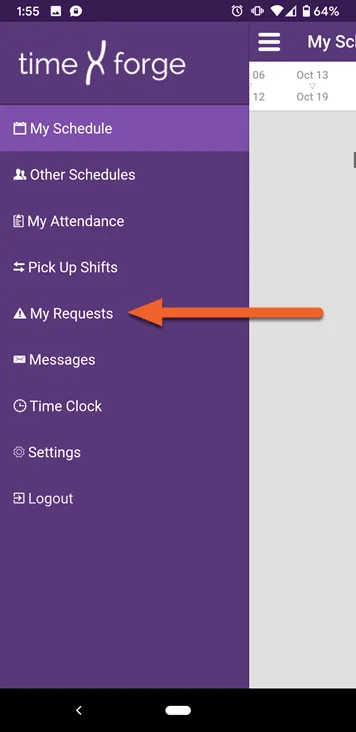
View your requests
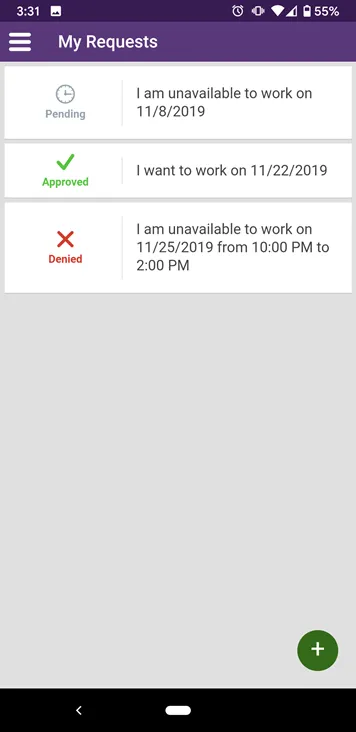
Section titled “View your requests”Your requests will be listed in the order you submitted them, with the latest requests at the top of the page.
- Pending requests are those waiting on manager approval.
- Approved requests are those that have been approved by management.
- Denied requests are those that have been denied.
Select a request to edit/delete
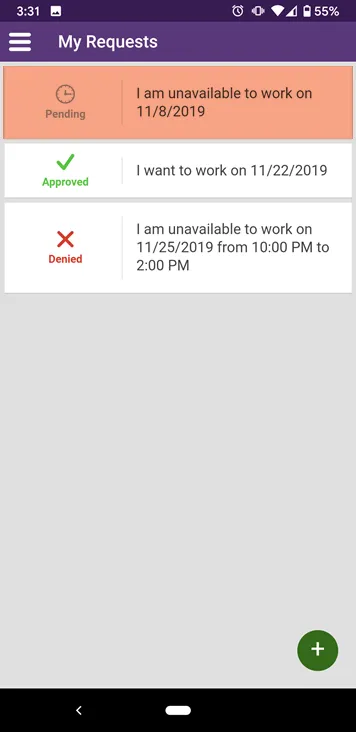
Section titled “Select a request to edit/delete”Pending requests can always be edited/deleted. Approved and denied requests may be inaccessible depending on how your employer has configured TimeForge.
Let’s select the pending request:
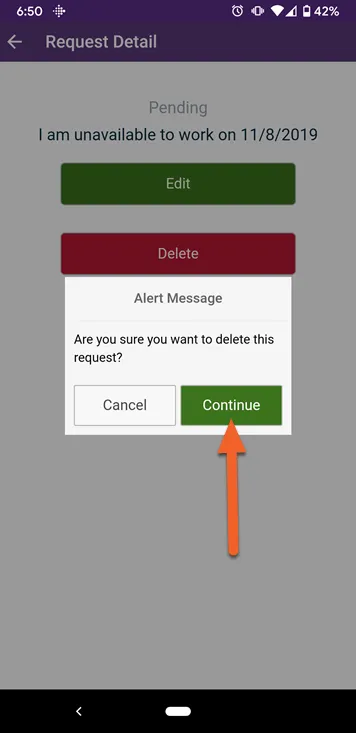
Tap the appropriate button to edit or delete
Section titled “Tap the appropriate button to edit or delete”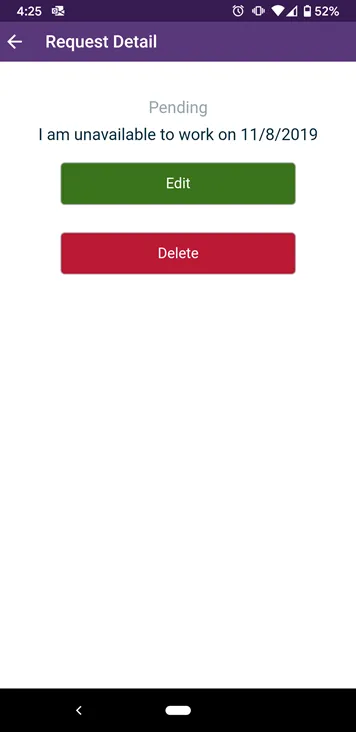
If you choose to Delete, you will be asked to confirm your choice by tapping the Continue button.
Keep reading this guide to learn more about creating and editing requests!