Pick up shifts that have been given up by other staff members
In addition to being able to give up shifts, you can also pick up available shifts using the TimeForge Employee mobile app. Keep in mind that you are not responsible for a shift until your manager has approved the pick-up.
Select Pick Up Shifts from the side menu
Section titled “Select Pick Up Shifts from the side menu”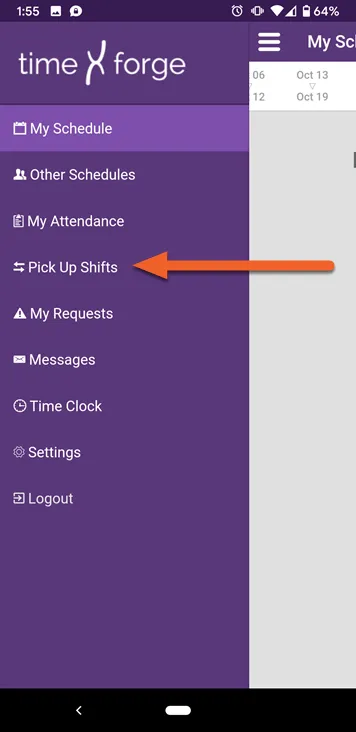
Find a date with a shift you like and tap the Pick Up button
Section titled “Find a date with a shift you like and tap the Pick Up button”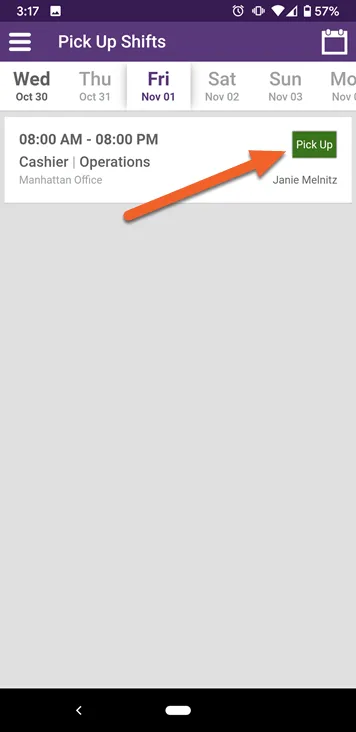
Click OK to confirm pick up
Section titled “Click OK to confirm pick up”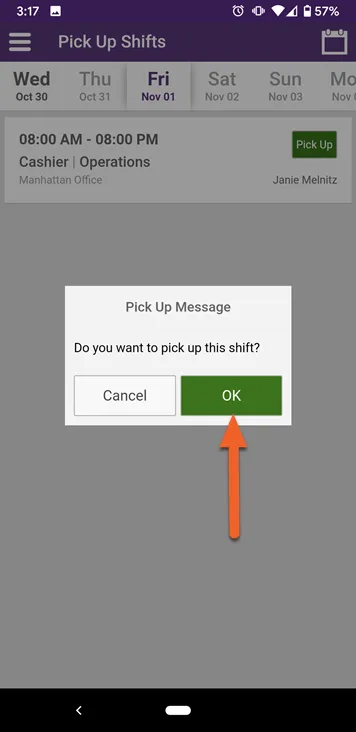
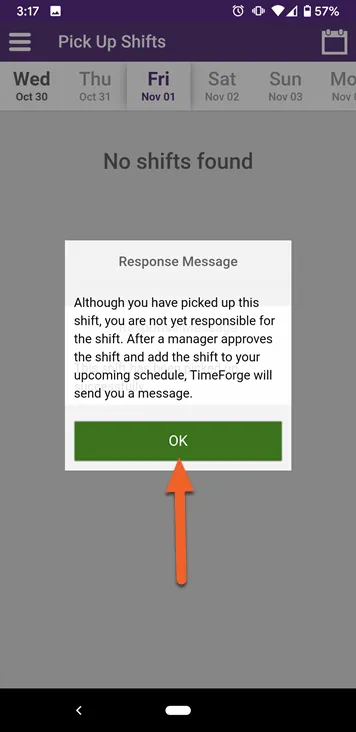
Click OK to acknowledge warning
Section titled “Click OK to acknowledge warning”This warning is simply a reminder that you are not responsible for the shift until a manager has approved the change.