

Locate the IP address of the Biometric TimeClock
Knowing the IP address of the TimeClock is an important step when trying to diagnose or troubleshoot common issues. This guide will show you how to locate the IP address of the TimeClock.
Log into the TimeClock
Section titled “Log into the TimeClock”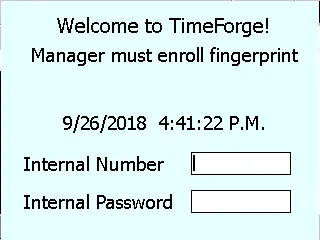
Log into the TimeClock using either your fingerprint or internal number and password.
Go to Manager Options
Section titled “Go to Manager Options”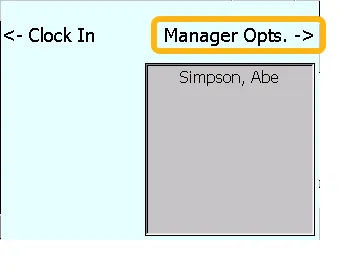
Click on Manager Opts. in the menu.
Go to Options
Section titled “Go to Options”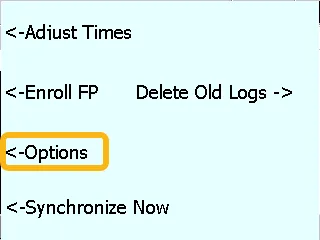
Now click on Options.
Go to Configuration Settings
Section titled “Go to Configuration Settings”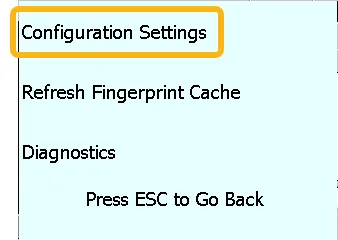
Now click on Configuration Settings.
Find the IP on the TimeClock Settings screen
Section titled “Find the IP on the TimeClock Settings screen”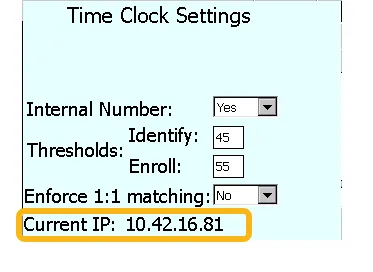
This will bring you to the TimeClock Settings screen. Look for Current IP toward the bottom: this is the IP address for the TimeClock.
To get back to the Welcome Screen, just push ESC until you see that screen.