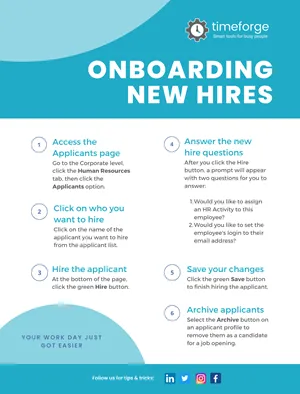
Download the employee mobile app
Do your employees know about the TimeForge Employee Mobile app? Post or distribute this flyer to let them know about the app, where to download it, and how to get started.
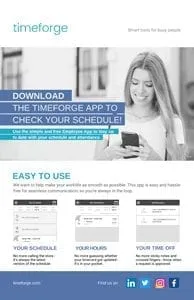
Set up the TimeForge Time Machine biometric timeclock
When you get your new biometric Timeclock, TimeForge will have already performed most of the setup for you.
This one-page infographic will teach you how to scan your fingerprint and get your employees registered to use the clock, as well.
For full instructions on installing your new timeclock clock, see this guide.
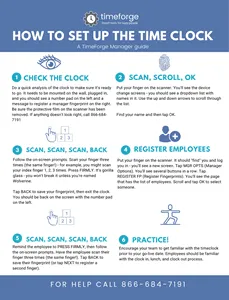
Set up a Manager account in TimeForge
This infographic is a useful reference when setting up a new manager account. It provides several tips and reminders, including:
- Remember to set a secure password
- Never share your login information with anyone
- How to contact support if you need help
- Where to configure alerts and manage scheduled reports
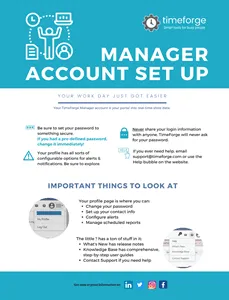
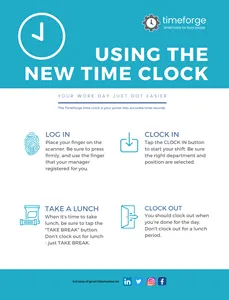
Using the biometric timeclock
This handy, one-page infographic explains how to use the TimeForge biometric timeclock to log in, clock in, take lunch, or clock out.
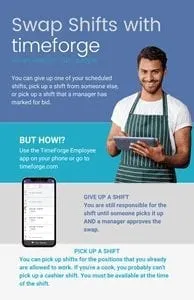
Swap shifts with a coworker
Tell your employees about shift swaps in TimeForge with this sleek one-pager. Post this flyer at work or distribute it among your employees to let them know that they can swap shifts among each other.
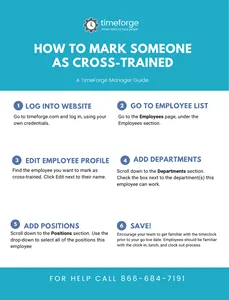
Mark employees as cross-trained
This one-page infographic is a handy, quick-reference guide that explains how to mark employees as cross-trained in TimeForge.
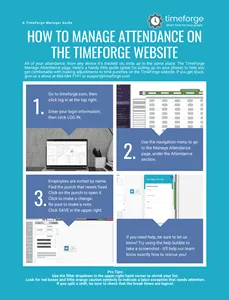
Manage attendance in TimeForge
This one-page quick guide will walk you through three simple steps to manage attendance in TimeForge.
The infographic explains:
- How to log in
- How to navigate to the Manage Attendance page
- How to sort employees, view time punches, and make changes to time cards
It also includes a few pro tips to help you get even more out of the Manage Attendance feature.
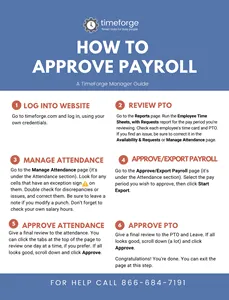
Approve payroll in TimeForge
Designed to be a quick-reference guide, this infographic explains how to approve payroll in TimeForge in just a few easy steps:
- Log into TimeForge
- Review PTO
- Manage attendance
- Approve/export payroll
- Approve attendance
- Approve PTO
One of the great things about TimeForge is that it will automatically alert you if there are exceptions or discrepancies you need to double-check when reviewing attendance.
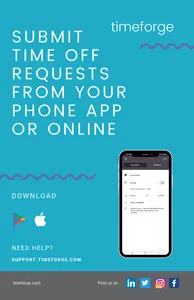
Request time off using the employee mobile app
Do your employees know they can submit requests directly from their phones using the Employee Mobile app? Post or distribute this flyer among your team to help make them aware of their options. Once they learn how easy it is to request time off from their smartphones, they’ll thank you!
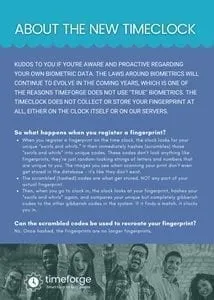
How the fingerprint timeclock works
These days, people are becoming more and more savvy about how their personal data is collected and used online. If your employees are concerned about their fingerprints being scanned - they shouldn’t be. Unlike some time clocks out there, TimeForge’s biometric timeclocks do not store users’ fingerprints.
Download this one-page flyer to explain to your employees how the timeclock works.
Onboard new hires in TimeForge
This full-color PDF cheat sheet can be saved to your desktop and used for training your hiring managers. It can also be printed and pinned next to the computer for easy reference. It covers the 6 simple steps of hiring in TimeForge using our built-in Applicant Tracking features.